Fake document detection online
This guide is for individuals seeking to verify document authenticity and avoid dark web fraud.
- Posted:
- Last updated: October 8, 2026
- By: Logan Pierce
- 19 minutes
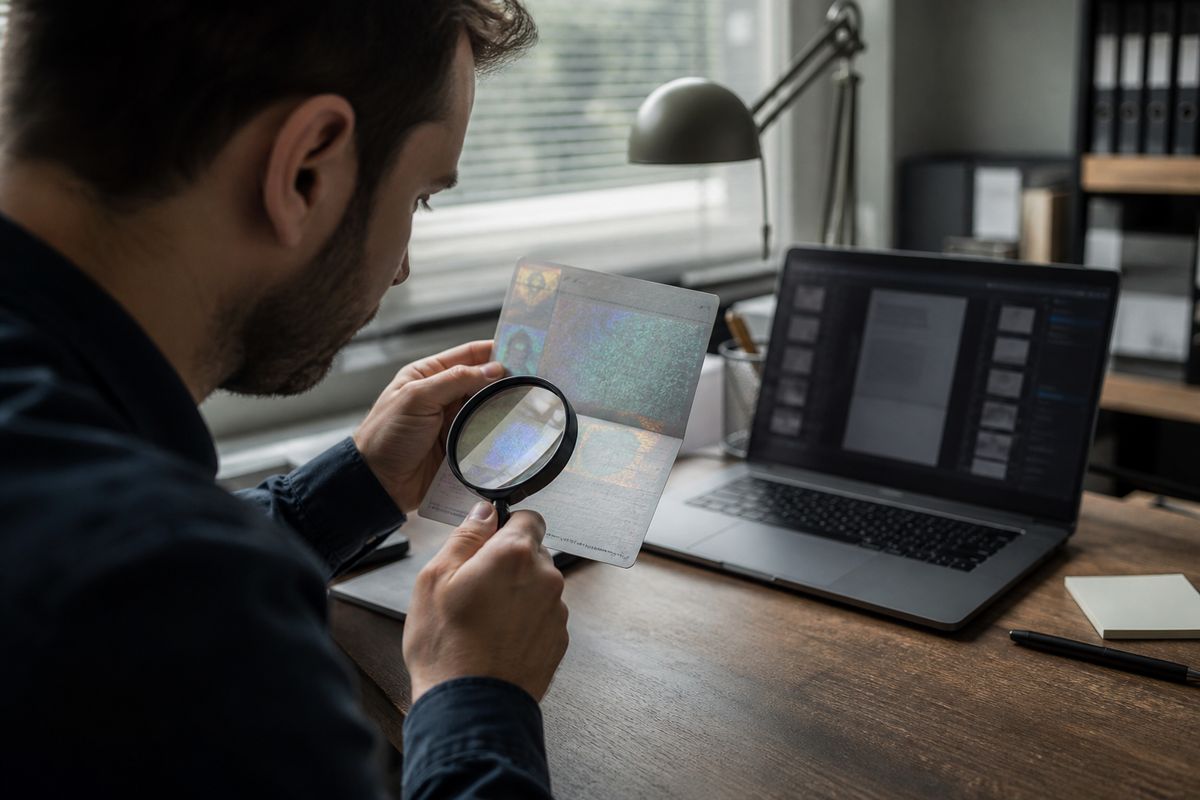
Online fake document detection combines automated verification tools and manual forensic techniques to identify forged identity papers, with modern systems detecting up to 95% of fake IDs and driver's licenses1. You can verify documents by examining:
- Metadata inconsistencies — mismatched authorship, impossible timestamps, and software version conflicts2
- Security features — holograms, microprinting, and machine-readable zones using databases like INTERPOL's FIELDS3
- Digital signatures — cryptographic certificate validity and ByteRange coverage in PDFs4
What Is Fake Document Detection and Why It Matters Online
Fake document detection involves identifying forged identity papers in a digital context. This process is crucial, especially as counterfeit documents proliferate on dark web marketplaces. Items such as passports, IDs, and diplomas are commonly sold. A study found that fake IDs in developed countries surged by 163%, while fake passports increased by 147% in 20235.
The prevalence of document fraud is alarming. According to the Veriff Identity Fraud Report 2024, document fraud accounted for 13.7% of all fraud incidents in 2023, nearly doubling from 7.65% in 2022. This reflects a 20% year-on-year increase in overall fraud6. Additionally, ID cards are the most exploited documents, constituting around 75% of identity fraud cases7.
Dark web analysis reveals that counterfeit identity document products average around $1,278.80, with passports making up 40.1% of these products8. The market is not just limited to fake documents; many vendors falsely claim their products are legitimate, making it easier for individuals to fall victim to fraud8.
The connection between fake documents and identity theft is significant. Fraudsters can use these documents to impersonate individuals, leading to financial fraud. For instance, the misuse of forged IDs can facilitate illegal activities, including accessing financial services under false pretenses.
To combat these threats, it is essential to utilize effective verification methods. Automated tools and forensic analysis can help identify inconsistencies, such as mismatched metadata or security features. Understanding these aspects helps safeguard against identity theft and fraud, making document verification critical in today’s digital landscape.
Common Types of Fake Documents Circulating Online
Counterfeit documents are a major concern in the digital landscape. Various types of fake documents are commonly forged and sold on dark web marketplaces. Here’s a breakdown of the primary document types and how they are typically forged.
Government IDs
Government-issued IDs, such as national identity cards, are frequently counterfeited. Fraudsters often use low-quality scans or sophisticated printing techniques to create convincing replicas. These documents account for nearly 75% of all identity fraud cases7.
Passports
Passports are another common target. In 2023, the average increase in fake passports was 147%5. They are often forged using advanced printing methods and can include manipulated biometric data. On dark web marketplaces, genuine passports can sell for an average of $1,705.02, while fake ones average $741.958.
Driver's Licenses
Driver's licenses are also widely forged. Modern technology allows for high-quality reproductions that can fool many verification systems. A study indicates that fake IDs in developed countries surged by 163% in 20235.
Academic Certificates
Fake academic certificates are often created to help individuals bypass educational requirements or secure employment. These documents can vary in quality, from simple text manipulations to sophisticated forgeries that mimic official seals and watermarks.
Bank Statements and Utility Bills
Fraudsters frequently create fake bank statements and utility bills to prove residency or financial stability. These documents can be forged using basic editing software, making them harder to detect without careful scrutiny.
Quality Levels of Forgeries
The quality of fake documents can vary significantly. Low-quality scans may include obvious signs of manipulation, such as pixelation or incorrect fonts. In contrast, sophisticated forgeries might employ advanced techniques like error level analysis and watermark detection to appear legitimate.
Dark Web Marketplaces
Many of these counterfeit documents can be found on dark web marketplaces. For example, a recent analysis revealed listings offering large sets of ID documents, complete with machine-readable zone (MRZ) data already extracted for automated verification9.
Understanding these common types of fake documents and their characteristics is crucial for effective verification and protection against identity fraud.
Visual Inspection Techniques for Digital Documents
Examining digital documents for authenticity requires a keen eye for detail. You can identify potential forgeries by focusing on several visual inspection techniques.
Fonts and Spacing
Check for inconsistencies in fonts, spacing, and alignment. Genuine documents typically use specific fonts consistently. For example, a passport's Machine Readable Zone (MRZ) has a defined font style. If the font appears altered or inconsistent, it may indicate forgery.
Pixelation and Resolution
Look for pixelation or resolution mismatches. Genuine documents are printed at high resolutions. If you notice blurry text or images, this could suggest manipulation. Compression artifacts may also appear if a document has been saved multiple times, degrading its quality.
Template Irregularities
Many counterfeit documents are created using templates. Familiarize yourself with the standard layout of documents like passports or ID cards. Check for irregularities in the layout, such as misplaced logos or inconsistent margins. These errors can be a telltale sign of forgery.
Security Features
Security features are crucial for validating documents. Examine for holograms, watermarks, and microprinting. These elements often require magnification to identify. For instance, genuine passports include a complex hologram that changes appearance depending on the angle. Familiarize yourself with these features using resources like INTERPOL's FIELDS database, which provides images and descriptions of key security aspects3.
Example: Passport MRZ Patterns
The MRZ of a passport contains specific patterns and formats. It typically includes two lines of text with 44 characters. Any deviations from this format, such as incorrect character spacing or missing elements, can indicate a fake document.
Conclusion
Using these visual inspection techniques helps you identify counterfeit documents effectively. By focusing on fonts, spacing, pixelation, template irregularities, and security features, you can significantly reduce the risk of falling victim to document forgery.
Metadata Analysis Methods
Examining metadata is a crucial step in detecting fake documents. Metadata can reveal essential information about a document, such as its creation date, the software used, and its modification history. This analysis can uncover inconsistencies that suggest forgery.
EXIF Data Examination
EXIF (Exchangeable Image File Format) data is commonly found in images and can provide insights into the document's authenticity. Key elements to examine include:
- Creation Date: Check if the date aligns with the document's claimed timeline.
- Software Used: Identify the software that created or modified the document. For instance, unusual or outdated software could indicate manipulation.
- Modification History: Look for signs of extensive editing, which may suggest the document was altered post-creation.
Extracting Metadata
You can extract metadata using various tools. Here are some popular options:
- ExifTool: A powerful command-line utility for reading, writing, and editing metadata in various file formats10.
- Apache Tika: A content analysis toolkit that can extract metadata from documents like PDFs and Office files10.
- Didier Stevens PDF Tools: A set of tools specifically for analyzing PDF documents10.
To extract metadata, simply input the file into the chosen tool and review the output for any irregularities.
Identifying Red Flags
When analyzing metadata, look for specific red flags:
- Inconsistencies with Claimed Document Date: If the creation date is later than the document's claimed date, this is a sign of potential forgery.
- Editing Software Evidence: If the metadata reveals that a document was edited with software commonly associated with image manipulation, it could indicate tampering.
Step-by-Step Process for Checking PDF Properties and Image Metadata
- Open the Document: Use a tool like Adobe Acrobat or ExifTool for images.
- Access Metadata: In Adobe Acrobat, go to
File>Properties. For images, use ExifTool in the command line. - Review Key Data: Look for the creation date, last modified date, and software used.
- Cross-Check Information: Compare the metadata against the document's claims. Any discrepancies should raise suspicion.
- Document Findings: Keep a record of your analysis for further investigation if needed.
By following these steps, you can effectively analyze metadata and enhance your ability to detect fake documents. Understanding these methods helps you navigate the complexities of document verification, especially in an era where identity fraud is on the rise.
Online Verification Tools and Databases
Verifying document authenticity online requires access to reliable verification resources. Various legitimate portals and databases can help you cross-check documents against official records.
Government Document Verification Portals
Many governments provide online verification systems for key documents. For example, in the United Kingdom, you can verify driving licenses through the DVLA’s online service. This system allows you to confirm the validity of a license by inputting the document number. Similarly, passport verification can often be done through the respective government agency's website.
Educational Institution Registries
Universities and colleges frequently maintain registries for verifying academic credentials. Institutions like the University of Bristol offer online verification services for degrees. You can check the authenticity of a diploma by contacting the registrar's office or using their verification portal.
Professional License Databases
Professional licenses can also be verified through specific databases. In the UK, the General Medical Council (GMC) provides a verification system for medical professionals. You can confirm if a doctor is licensed by entering their registration number on the GMC's website.
Limitations of Public Verification Systems
Public verification systems can have limitations. Not all documents are covered, and some databases may not be up-to-date. For instance, if a document was recently issued, it might not appear in the database yet. Additionally, these systems can only verify legitimacy; they cannot confirm whether a document has been altered or forged.
Cross-Referencing Document Numbers
Cross-referencing document numbers with official databases is essential for verification. Start by obtaining the document number from the document in question. Input this number into the relevant verification portal. If the results confirm the document's details, it is likely legitimate. However, a lack of matching data may indicate a potential forgery.
Countries Offering Online Verification
Countries like the United Kingdom, Australia, and Canada provide extensive online verification resources. The UK’s DVLA, Australia’s Transport Department, and Canada’s provincial licensing authorities all offer platforms to verify driving licenses. Additionally, many universities across these countries have established online systems for confirming academic credentials.
Utilizing these tools and databases can significantly enhance your ability to detect counterfeit documents. Always verify through official channels to ensure the highest level of accuracy.
Digital Forensics Techniques
Detecting manipulated images is crucial in identifying counterfeit documents. Various digital forensics techniques help reveal discrepancies that indicate forgery.
Error Level Analysis (ELA)
Error Level Analysis (ELA) is a popular method for detecting image manipulation. This technique analyzes the compression levels of different areas in an image. When an image is edited, the error levels between the original and altered sections differ. For instance, a genuine image may have uniform error levels, while manipulated areas might show stark contrasts. This method is particularly useful for detecting alterations in digital documents.
Clone Detection Methods
Clone detection focuses on identifying duplicated regions within an image. Fraudsters often copy and paste elements from one part of a document to another. Tools like FotoForensics utilize clone detection algorithms to highlight these areas, making it easier to spot inconsistencies. For example, if a signature appears in two different locations, it could indicate forgery.
Noise Pattern Analysis
Noise pattern analysis examines the random noise present in images. Each camera or scanner produces unique noise patterns. If an image has been altered, the noise patterns may not match throughout the document. This mismatch can signal that the image has been manipulated.
Tools for Analysis
Several tools can assist in digital forensics:
- FotoForensics: This online tool provides ELA and clone detection features, making it accessible for quick analyses.
- ExifTool: A command-line utility for examining metadata, which can also reveal inconsistencies in images10.
- Open-source options: Various open-source software tools are available for in-depth analysis, allowing users to examine images closely without significant costs.
Compression Artifacts
Compression artifacts occur when images are saved in formats that reduce file size. These artifacts can reveal editing. For instance, if a document has been saved multiple times, you might notice a loss of quality or unusual patterns, indicating manipulation. Understanding these artifacts can help you discern between genuine and fake documents.
Using these digital forensics techniques enhances your ability to detect counterfeit documents effectively. By employing ELA, clone detection, noise pattern analysis, and leveraging available tools, you can better protect yourself against identity fraud and document forgery.
Red Flags and Warning Signs in Document Files
Identifying counterfeit documents requires vigilance. Several visual and behavioral red flags can help you spot potential forgeries.
Visual Red Flags
- Mismatched Fonts: Authentic documents use consistent font styles. If you notice different fonts within the same document, it may indicate tampering.
- Incorrect Document Dimensions: Genuine documents follow specific size standards. For example, a passport typically measures 125 mm by 88 mm. Deviations from these dimensions can signal forgery.
- Wrong Security Feature Placement: Security features like holograms or watermarks should be in designated areas. If they are misplaced, this could suggest a fake.
- Anachronistic Elements: Check for outdated designs or features that don’t match the document’s issue date. For instance, a passport issued in 2023 should not feature security elements from earlier designs.
- Language/Spelling Errors: Poor grammar or misspelled words are common in forgeries. Authentic documents are carefully proofread and formatted.
Behavioral Red Flags
When dealing with sellers, be aware of suspicious behaviors:
- Reluctance to Provide Originals: If a seller hesitates to show the original document or offers only copies, this is a warning sign.
- Suspiciously Low Prices: A legitimate document usually costs more than counterfeit versions. For instance, a genuine passport may sell for over £1,700, while a fake could be available for around £7428.
Common Forgery Mistakes
Examples of frequent errors in counterfeit documents include:
- Inconsistent Margins: Forged documents often have uneven margins, suggesting they were poorly produced.
- Incorrect MRZ Patterns: The Machine Readable Zone (MRZ) on a passport should follow specific patterns. Mistakes here can be a clear indication of a fake.
- Missing Security Features: Genuine documents often contain multiple security features. A lack of these can indicate forgery.
Being aware of these signs can enhance your ability to detect fake documents effectively. Always approach document verification with a critical eye to avoid falling victim to fraud.
Dark Web Document Fraud Patterns
Fake documents are commonly marketed on dark web forums and marketplaces. Vendors typically advertise a wide variety of documents, including fake IDs, passports, and driver's licenses. Listings often highlight the quality of the documents, including claims about their resemblance to genuine articles, which can mislead buyers.
Common Vendor Tactics
Sellers employ various tactics to attract customers. They frequently offer bulk deals or discounts, encouraging purchases of multiple documents at once. For instance, a listing might sell fake passports for around £741.95 on average, while legitimate documents can cost up to £1,705.028. Some vendors even provide samples or previews to showcase their products, enhancing buyer confidence.
Pricing Structures
The pricing for fake documents varies significantly based on the type and perceived quality. Research indicates that counterfeit identity documents on dark web markets average £1,278.80, with passports making up 40.1% of these products8. Sellers may also claim that their documents can pass verification checks, which is a common selling point despite the inherent risks.
Quality Indicators
When browsing listings, certain quality indicators can help in assessing the authenticity of the documents. Vendors often include details about the materials used and any security features mimicked. For example, mentions of machine-readable zones (MRZ) or watermarks may indicate a higher-quality counterfeit. However, these indicators can be misleading, as many forgeries may include features that are easy to replicate.
Escrow Scams and Delivery
Escrow services are sometimes promoted as a safe way to complete transactions. However, these services can be a front for scams. In many cases, once payment is made, the vendor disappears, leaving the buyer without the promised documents. Delivery methods can vary, with some vendors using encrypted communications to send digital files, while others may ship physical copies.
Connection to Identity Theft
Counterfeit documents are often linked to larger identity theft operations. Fraudsters use these documents to create fake identities, which can then be used for various illegal activities, including financial fraud. The rise in document fraud, which comprised 13.7% of all fraud in 2023, highlights the growing threat6. Understanding these patterns is crucial for protecting yourself against potential scams and identity theft.
Protection Strategies and Next Steps
If you suspect that a document is fake, it’s crucial to take immediate action. Here are actionable steps you can follow:
Reporting to Authorities
Report suspected document fraud to the Internet Crime Complaint Center (IC3) or your local law enforcement. The IC3 allows you to file a complaint online, which can help in tracking fraud trends and potentially lead to investigations. Local police can provide assistance, especially if you have been a victim of fraud.
Documenting Evidence
Collect and document all evidence related to the suspected fake document. This includes screenshots, emails, or any communication with the seller. Keeping a detailed record can help authorities in their investigations.
Protecting Personal Information
If you believe your personal information has been compromised, take steps to protect yourself. Change passwords for any accounts that may have been affected. Consider placing a fraud alert on your credit reports. This alert notifies creditors to take extra steps to verify your identity before issuing new credit.
Consulting Forensic Experts
In complex cases, it may be necessary to consult forensic document examiners. These experts use techniques like metadata analysis and watermark detection to identify forgeries. If you have a significant investment in the document or face legal issues, their insights can be invaluable.
Prevention Measures for Organizations
Organizations should implement strict verification processes for documents. Regular training for employees on identifying fake documents is essential. Utilize technology that detects counterfeit documents, such as ID authentication tools capable of flagging up to 95% of fakes1.
Resources for Victims of Document Fraud
Victims can access several resources for help. Organizations like the Federal Trade Commission (FTC) offer guidance on identity theft and fraud. Additionally, forums and support groups can provide emotional support and practical advice.
By taking these steps, you can protect yourself from the risks associated with document fraud and contribute to broader efforts to combat identity theft.
Fake Document Detection Checklist
- Document Type
- Passport
- Security Features
- Holograms, Watermarks
- Detection Methods
- Check placement, MRZ patterns
- Tools
- VeriScan, ExifTool
- Document Type
- ID Card
- Security Features
- Consistent Fonts, Dimensions
- Detection Methods
- Analyze fonts, dimensions
- Tools
- FotoForensics, DROID
- Document Type
- Diploma
- Security Features
- Official Seals, Signatures
- Detection Methods
- Verify seals, signatures
- Tools
- Apache Tika, oletools
- Document Type
- All Types
- Security Features
- Metadata Analysis
- Detection Methods
- Check authorship, timestamps
- Tools
- ExifTool, Didier Stevens
- Document Type
- All Types
- Security Features
- Visual Red Flags
- Detection Methods
- Look for font inconsistencies
- Tools
- FotoForensics, ExifTool
- Document Type
- All Types
- Security Features
- Behavioral Red Flags
- Detection Methods
- Watch for seller reluctance
- Tools
- N/A
Common Mistakes and Misconceptions
Relying Solely on File Extension to Identify Document Type
Many people assume that a file's extension (.pdf, .docx, .jpg) guarantees its true format. This misconception can lead you to miss manipulated documents. Fraudsters often rename files to bypass security filters or create false trust. Format identification tools like DROID and Siegfried examine a file's internal structure using magic bytes to reveal its actual format, independently of the extension10. Always verify the true format before trusting a document's declared type.
Believing Low Prices Always Signal Counterfeits
You might think that suspiciously cheap documents are always fake, but this oversimplifies dark web pricing patterns. Research shows that legitimate documents sold on dark web markets averaged £1,705.02, while fake products averaged £741.958. However, 53.9% of vendors claimed their products were legitimate documents that could be used for legal entry8. Price alone cannot determine authenticity—you must examine security features, metadata, and vendor reputation together to assess fraud risk accurately.
Assuming All Security Features Are Equally Difficult to Forge
Not all security features offer the same level of protection against forgery. ID cards remain the most frequently exploited documents, accounting for nearly 75% of all fraudulent activities involving identity documents7. Simple visual elements like holograms or watermarks can be replicated more easily than complex machine-readable zones or embedded chips. Focus your verification efforts on multiple layers of security rather than trusting a single feature, and prioritise features that require sophisticated equipment to reproduce.
Ignoring Metadata Because It Seems Too Technical
Many people skip metadata analysis because they believe it requires advanced technical skills. This mistake leaves you vulnerable to sophisticated forgeries that pass visual inspection. Metadata analysis examines mismatched authorship, implausible editors, timestamp conflicts, software version mismatches, font availability anomalies, and implausible revision counts to detect inconsistencies indicating forgery2. Tools like ExifTool make this process accessible even for users with basic technical knowledge10. Spending a few minutes examining metadata can reveal forgeries that would otherwise go undetected.
Trusting Visual Inspection Alone for Digital Documents
You might feel confident spotting fake physical documents but assume digital files are harder to verify. This misconception ignores powerful digital forensics techniques available to you. Error Level Analysis (ELA), clone detection, and noise pattern analysis can reveal manipulations invisible to the naked eye. FotoForensics and other accessible tools let you perform these checks without specialised training. Combining visual inspection with digital forensics significantly improves your detection rate, especially as deepfakes detected globally increased tenfold from 2022 to 20237.
Believing Genuine-Looking Documents Are Always Safe
A document that appears genuine and passes basic visual checks might still pose serious fraud risks. The ICAO Guide on Evidence of Identity warns that genuine documents falsely obtained through identity fraud can be validated against source data and Public Key Infrastructure, making them less likely to be detected at borders than fake documents11. This means fraudsters can obtain real documents using stolen or synthetic identities. Always verify not just the document itself but also the identity of the person presenting it, cross-referencing multiple data points to detect identity fraud schemes.
Key Takeaways
- Verify documents using multiple layers: combine visual inspection of security features with digital forensics tools like ExifTool and FotoForensics to catch manipulations invisible to the naked eye.
- Check metadata first: examine authorship, timestamps, and software versions before trusting any digital document, as these inconsistencies reveal forgeries that pass visual checks.
- Understand dark web pricing patterns: legitimate documents averaged £1,705.02 whilst counterfeits averaged £741.95, but price alone cannot determine authenticity8.
- Report suspected fraud immediately: file complaints with the Internet Crime Complaint Center (IC3) and document all evidence, including screenshots and communications with sellers.
- Protect your identity proactively: place fraud alerts on credit reports and change passwords if you suspect your personal information has been compromised through document fraud.
To understand how fraudsters operate and what tactics they use to sell counterfeit documents, explore our guide on dark web market patterns.
Cited sources
- 2024 Fake ID Report - IDScan
- PDF Forensics & the Metadata Conundrum - PDF Association
- FIELDS Database Project Sheet - INTERPOL
- PDF Metadata Forensics and Image Checks - ForensicSpot
- Sumsub Identity Fraud Report 2023
- A Deep Dive Into Document Fraud 2024 - Veriff
- Sumsub Research: Global Deepfake Incidents Surge Tenfold from 2022 to 2023
- Counterfeit Identity Documents on the Open and Dark Web - George Mason University
- We Analysed 1,125 Dark Web Listings in 30 Days - SINON Security
- Document Formats and Metadata Analysis — Document Forensics - Oslo Metropolitan University
- ICAO Guide on Evidence of Identity - International Civil Aviation Organization
Handpicked links. A few related services may help with the next step. Tools & services